
Navigation: WP Admin > License Server > Logs
The Logs screen provides an audit trail of all significant events in your license server. When something goes wrong — a customer cannot activate their license, a payment fails, or an API request returns an error — the logs are the first place to look.
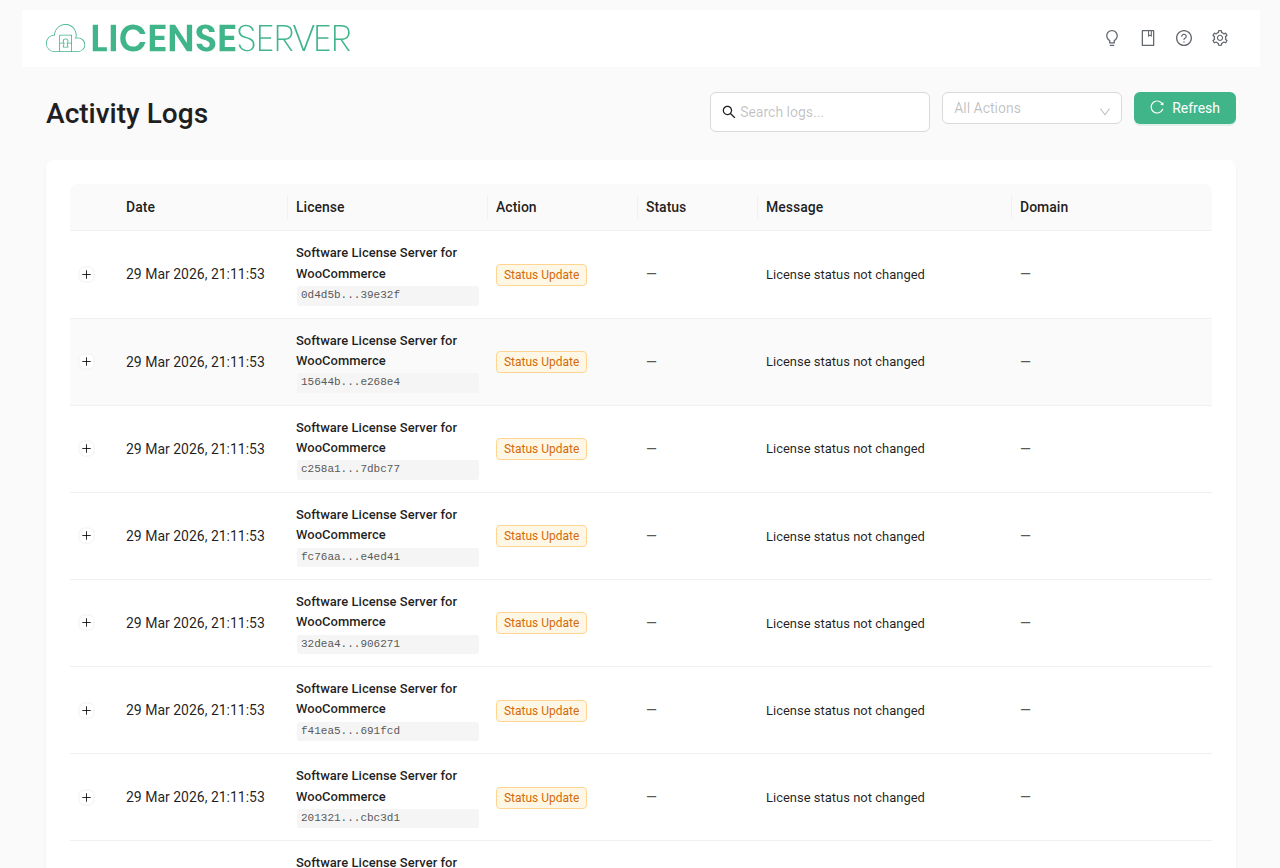
Types of Events Logged
The log table records events across the entire license lifecycle:
- License activations and deactivations — Which domain activated or deactivated a license, and when.
- License key generation and renewal — When keys are created (from orders) or renewed (from subscription payments).
- Domain changes — When a customer moves their license from one domain to another.
- Subscription status changes — Transitions between active, on-hold, expired, and canceled states.
- Failed payment attempts and retries — When a subscription payment fails and when the system retries it.
- API requests and errors — Incoming REST API calls, including update checks and activation requests from client software.
- Admin actions — Manual license generation, tool runs (e.g., "Expire overdue licenses"), and settings changes.
Searching and Filtering
- Search — Find log entries by keyword, license key, customer name, or domain.
- Filter by type — Narrow results to a specific event category (e.g., show only activation events).
- Date range — View logs for a specific time period to focus your investigation.
Debugging Workflows
Finding Why a License Activation Failed
- Go to the Logs screen and search for the customer's license key or domain.
- Filter by activation events to narrow the results.
- Look for error entries near the activation attempt timestamp. Common causes include:
- Max activations reached — The license has hit its activation limit. The customer must deactivate an existing domain first. See Licenses for how to manage activations.
- Expired license — The license has passed its expiry date. Check whether the subscription renewal failed on the Subscriptions page.
- Invalid license key — The key does not match any issued license. Verify the customer is using the correct key.
- Domain mismatch — The activation request came from a domain not matching the expected format (e.g., including
www.when the stored domain does not).
Investigating a Failed Payment
- Search the logs for the customer's name or subscription ID.
- Filter by payment-related events.
- Look for the gateway error message — it will indicate whether the card was declined, the payment method expired, or a network error occurred.
- Cross-reference with the Subscriptions page to see the current retry count and subscription status.
Tracing an API Error
- Filter logs by API request events.
- Look for the endpoint path and HTTP status code in the log entry.
- Error responses include the error message returned to the client, helping you identify whether the issue is authentication, invalid parameters, or a server-side problem.
Log Retention
Debug logging must be enabled at WP Admin > License Server > Settings > General > Debug logging for detailed entries to be recorded.
Warning: Keep debug logging disabled in production unless you are actively investigating an issue. Detailed logging generates significant database entries and can impact performance on high-traffic stores.
When you are finished debugging, disable the setting to stop recording new detailed entries.
Related Pages
- Licenses — Manage license keys and activations
- Subscriptions — Manage recurring billing and payment retries
- Settings > General — Enable or disable debug logging
- Cron Jobs — Background tasks that generate log entries