
Navigation: WP Admin > License Server > Settings > General
The General tab controls core license behavior, domain activation rules, and performance options.
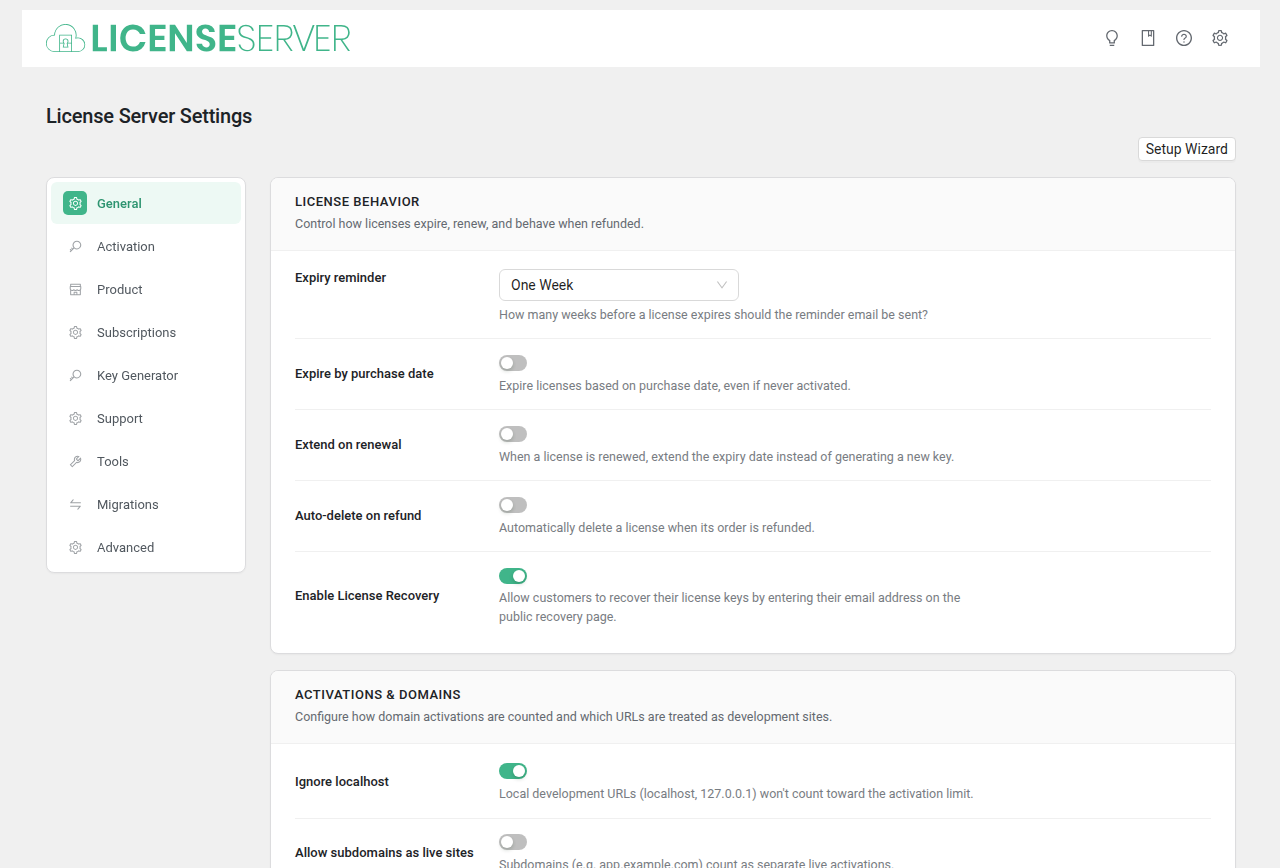
License Behavior
Configure how licenses expire, renew, and behave when refunded.
| Field | Type | Default | Description |
|---|---|---|---|
| Expiry reminder | Select | all | How many weeks before a license expires should the reminder email be sent. |
| Expire by purchase date | Checkbox | no | Expire licenses based on purchase date, even if never activated. |
| Extend on renewal | Checkbox | no | When a license is renewed, extend the expiry date instead of generating a new key. |
| Auto-delete on refund | Checkbox | no | Automatically delete a license when its order is refunded. |
| Enable License Recovery | Checkbox | yes | Allow customers to recover their license keys by entering their email address on the public recovery page. |
Activations & Domains
Configure how domain activations are counted and which URLs are treated as development sites.
| Field | Type | Default | Description |
|---|---|---|---|
| Ignore localhost | Checkbox | no | Local development URLs (localhost, 127.0.0.1) will not count toward the activation limit. |
| Allow subdomains as live sites | Checkbox | no | Subdomains (e.g. app.example.com) count as separate live activations. |
Performance & Security
Optimize API response times and protect download URLs.
| Field | Type | Default | Description |
|---|---|---|---|
| Cache API responses | Checkbox | no | Store API responses in cache to reduce database queries. |
| Obfuscate download URLs | Checkbox | no | Hide your server file structure by masking download links. |
| Debug logging | Checkbox | no | Write debug logs to file and database. Disable in production. |