
Navigation: WP Admin > License Server > Settings > Support
The Support tab configures the built-in helpdesk system, including public access, rate limiting, categories, and page assignments.
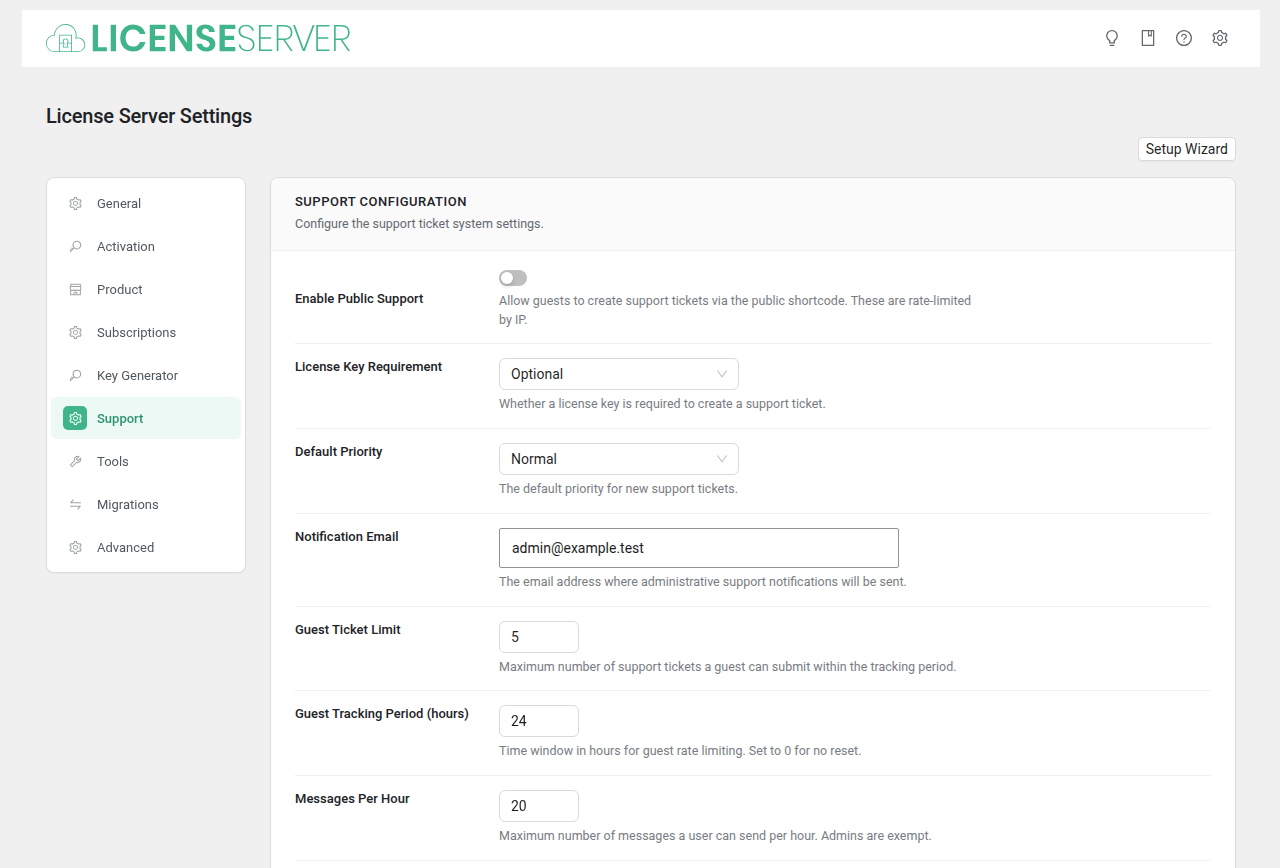
Support Configuration
| Field | Type | Default | Description |
|---|---|---|---|
| Enable Public Support | Checkbox | no | Allow guests to create support tickets via the public shortcode. These are rate-limited by IP. |
| License Key Requirement | Select | optional | Whether a license key is required to create a support ticket. Options: Optional, Required. |
| Default Priority | Select | normal | The default priority for new support tickets. Options: Low, Normal, High, Urgent. |
| Notification Email | (admin email) | The email address where administrative support notifications will be sent. | |
| Guest Ticket Limit | Number | 5 | Maximum number of support tickets a guest can submit within the tracking period. |
| Guest Tracking Period (hours) | Number | 24 | Time window in hours for guest rate limiting. Set to 0 for no reset. |
| Messages Per Hour | Number | 20 | Maximum number of messages a user can send per hour. Admins are exempt. |
| Support Categories | Category Manager | — | Manage the list of support categories that customers can choose from when creating tickets. |
Pages
Select the pages used by the license server for public-facing features.
| Field | Type | Default | Description |
|---|---|---|---|
| Support page | Page Select | (none) | The page where the shortcode is placed for presales and general inquiries. |
| License Recovery page | Page Select | (none) | The page where the shortcode is placed so customers can recover lost license keys. |