
Navigation: WP Admin > License Server > Settings > Key Generator
The Key Generator tab controls the format and character set used when generating new license keys. Changes apply to newly generated keys only — existing keys are not affected.
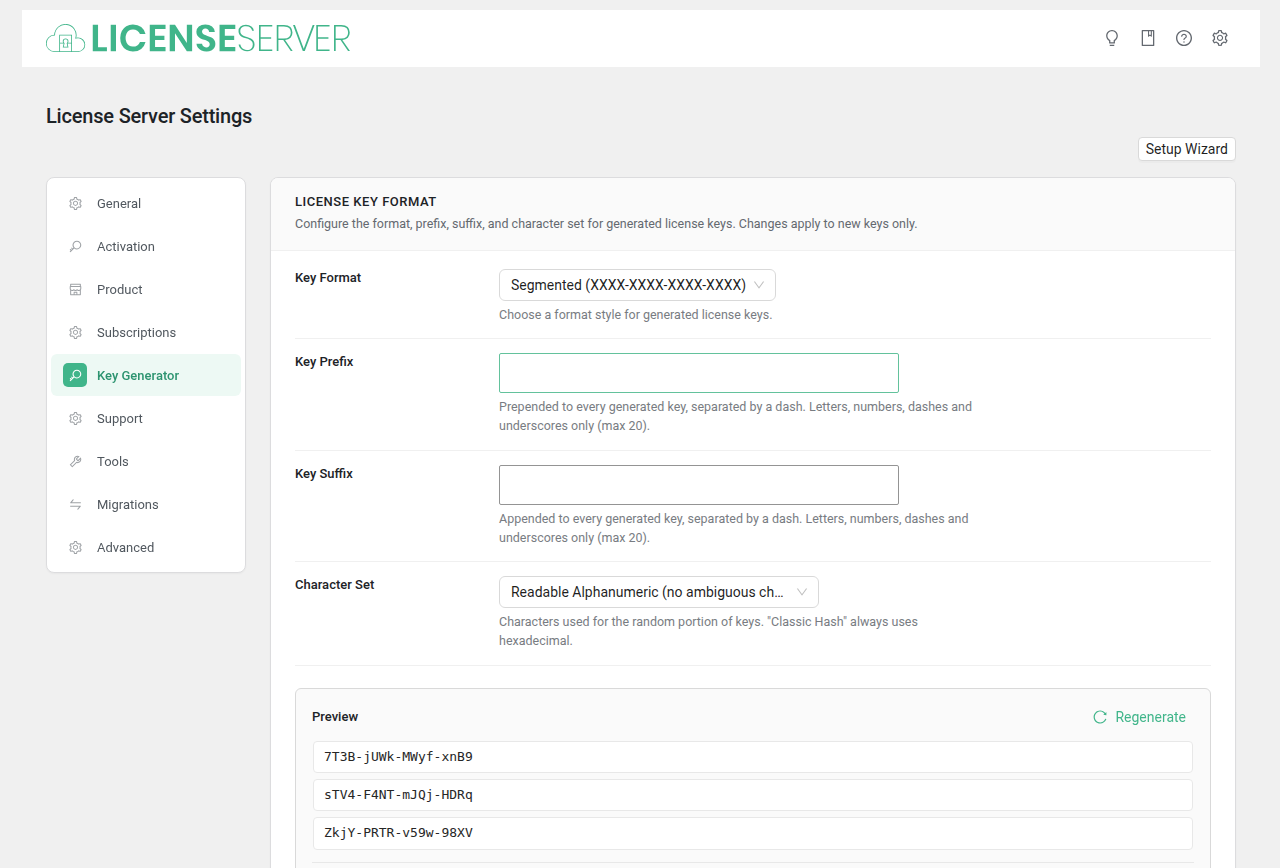
License Key Format
| Field | Type | Default | Description |
|---|---|---|---|
| Key Format | Select | dashed_segments | Choose a format style for generated license keys. |
| Key Prefix | Text | (empty) | Prepended to every generated key, separated by a dash. Letters, numbers, dashes and underscores only (max 20). Example: MYPRO |
| Key Suffix | Text | (empty) | Appended to every generated key, separated by a dash. Letters, numbers, dashes and underscores only (max 20). Example: 2024 |
| Character Set | Select | alphanumeric_safe | Characters used for the random portion of keys. "Classic Hash" format always uses hexadecimal regardless of this setting. |
| Key Preview | Preview | — | Sample keys generated with the current settings. Updates live as you change options. |
Key Format Options
| Format | Example |
|---|---|
| Segmented | XXXX-XXXX-XXXX-XXXX |
| Classic Hash | 40-character hexadecimal string |
| Compact | XXXXXX-XXXXXX |
| Extended | XXXXXX-XXXXXX-XXXXXX-XXXXXX |
Character Set Options
| Character Set | Characters Used |
|---|---|
| Alphanumeric | a-z, A-Z, 0-9 |
| Readable Alphanumeric | Alphanumeric without ambiguous characters (no 0/O, 1/l) |
| Hexadecimal | 0-9, a-f |
| Uppercase Letters + Numbers | A-Z, 0-9 |
Example with Prefix and Suffix
With prefix MYPRO, suffix 2024, and Segmented format:
MYPRO-A3K9-BXPQ-ZTWD-2024