
SLSWC integrates with WooCommerce orders to automatically generate and manage license keys.
Automatic License Generation
When a WooCommerce order containing a Software or Variable Software product is marked as Completed (the woocommerce_order_status_completed hook), SLSWC automatically:
- Generates one license key for each unit of quantity on every Software or Variable Software line item.
- Stores the license in the
slswc_licensestable linked to the order and customer. - Sets the license expiry based on the product's (or variation's) renewal period.
- Creates the subscription record for subscription products.
- Creates a customer API key if the customer doesn't have one yet.
Licenses are only generated on the Completed status. Processing or On-hold orders do not get keys until they are completed.
Line items that already have a license key are skipped, so completing an order again does not create duplicate keys. Their subscription record is still created if it is missing.
Manual Order Actions
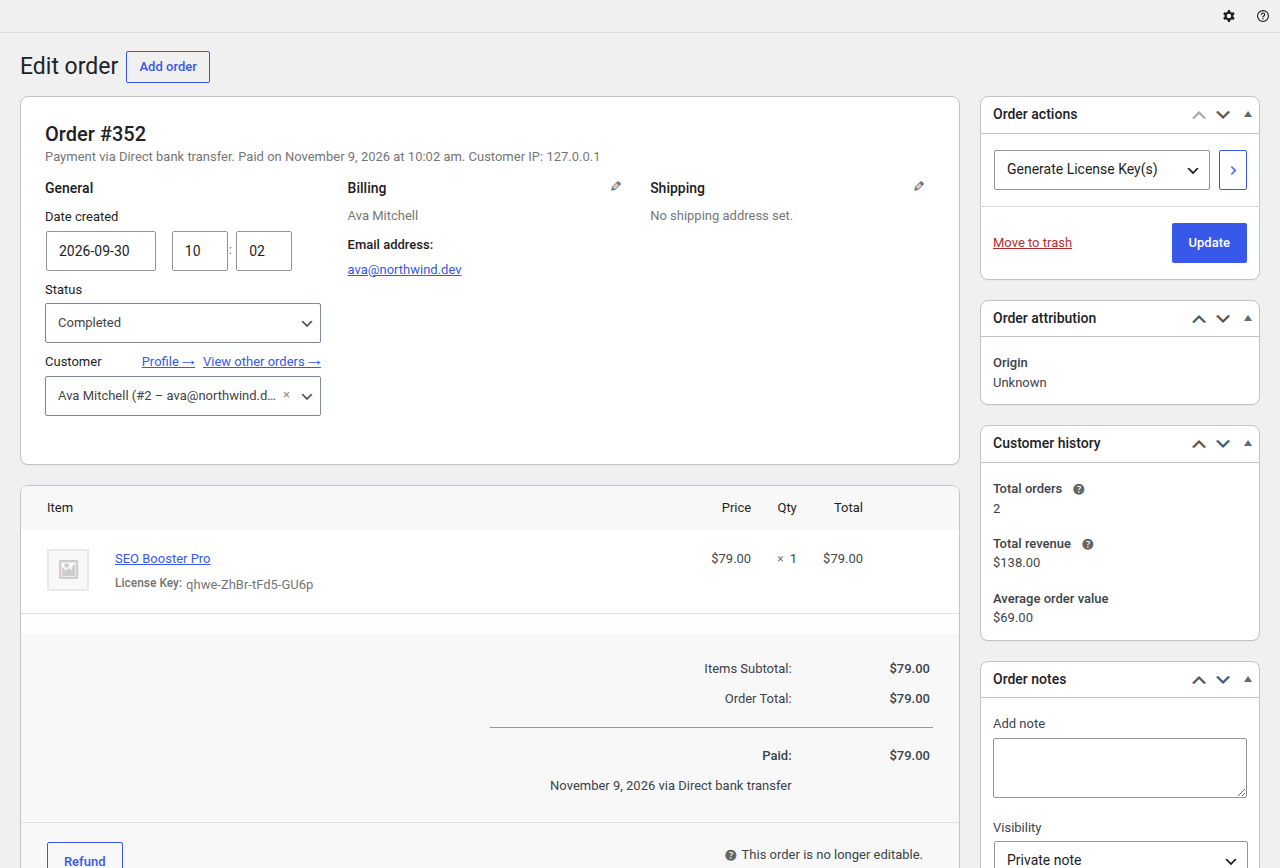
Two custom actions are available from the order edit screen under the Order actions dropdown:
| Action | Description |
|---|---|
| Generate License Key(s) | Always listed. Generates license keys for software items in the order that don't have one yet, and creates a customer API key if needed. Only works on Completed orders. Items that already have keys are skipped, so this fills gaps; it does not regenerate existing keys. |
| Renew License Key(s) | Extends the expiry date of existing licenses linked to this order. Only listed when Extend on renewal is enabled in WP Admin > License Server > Settings > General, and only works on Completed orders. |
To use these actions:
- Open the order at
WP Admin > WooCommerce > Orders > [Order]. - In the Order actions meta box, select the desired action.
- Click Update (or the action trigger button).
Refund Behavior
Only a full refund, where the order status changes to Refunded (woocommerce_order_status_refunded), triggers anything. Partial refunds do not change licenses or subscriptions.
On a full refund, SLSWC:
- Cancels every subscription on the order that isn't already cancelled or expired. The status is set to cancelled and the cancellation and end dates are set to now. The
slswc_subscription_cancelledaction fires for each one, so the Stripe, PayPal, Payfast and Polar gateways cancel the billing on their side. - Deletes the order's licenses (and their activity logs), but only if Auto-delete on refund is enabled in
WP Admin > License Server > Settings > General > License Behavior(optionslswc_delete_refunded_license, off by default). If it is off, the licenses stay in the system and you can manage them manually.
Order Deletion
When an order is permanently deleted (not just trashed), all licenses linked to that order are also deleted. SLSWC hooks into woocommerce_before_delete_order, so this works with both HPOS and legacy order storage.
To keep the licenses, return false from the slswc_delete_licenses_when_deleting_order filter:
add_filter( 'slswc_delete_licenses_when_deleting_order', function ( $delete, $order_id ) {
    return false;
}, 10, 2 );
Subscription Data on Order Items
For subscription-enabled products, SLSWC stores subscription metadata on each order line item, including:
- Sign-up fee and sale price
- Renewal fee and sale price
- Billing period and interval
- Trial length and period
This data is displayed on the order detail screen for both admins and customers.