
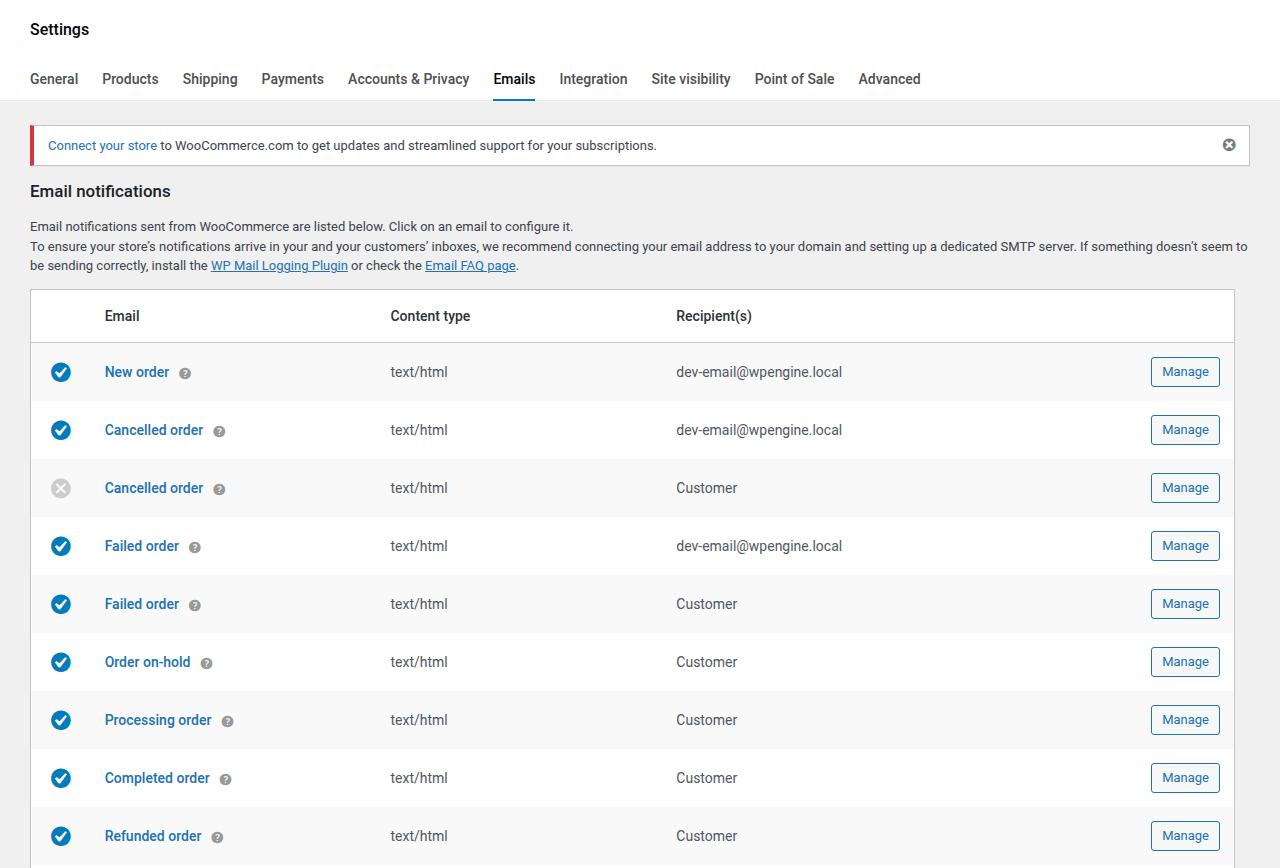
Navigation: WP Admin > WooCommerce > Settings > Emails
SLSWC adds 19 email templates to WooCommerce, organized into five categories: License, Subscription, Support, Recovery, and Admin.
License Emails
| ID | Recipient | Description | |
|---|---|---|---|
| Software License Activated | license_activated | Customer | Sent when a customer activates their license on a domain. |
| Software License Deactivated | license_deactivated | Customer | Sent when a customer's license is deactivated from a domain. |
| Software License Expiring | license_expiring | Customer | Sent when a customer's license is approaching its expiry date. Timing is controlled by the "Expiry reminder" setting. |
| Software License Expired | license_expired | Customer | Sent when a customer's license has expired. |
| Software License Renewed | license_renewed | Customer | Sent when a customer's license has been renewed. |
| License Activation Limit Reached | license_max_activations | Customer | Sent when a customer's license reaches its maximum number of activations. |
Subscription Emails
| ID | Recipient | Description | |
|---|---|---|---|
| Subscription Expiring | subscription_expiring | Customer | Sent when a customer's subscription is about to expire. |
| Subscription Expired | subscription_expired | Customer | Sent when a customer's subscription has expired. |
| Subscription Renewed | subscription_renewed | Customer | Sent when a customer's subscription has been successfully renewed. |
| Subscription Canceled | subscription_canceled | Customer | Sent when a customer's subscription is canceled. |
Support Emails
| ID | Recipient | Description | |
|---|---|---|---|
| Support Ticket Created | support_ticket_created_customer | Customer | Sent to the customer when they create a new support ticket. |
| New Support Ticket (Admin) | support_ticket_created_admin | Admin | Sent to the admin when a customer creates a new support ticket. |
| Support Ticket Reply | support_reply | Customer/Agent | Sent when a new reply is added to a support ticket. |
| Support Ticket Status Updated | support_status_changed | Customer | Sent to the customer when their support ticket status changes. |
| Support Ticket Assigned | support_ticket_assigned | Agent | Sent to the support agent when a ticket is assigned to them. |
| Support Ticket Closed | support_ticket_closed | Customer | Sent to the customer when their support ticket is closed. |
| Support Agent Access Granted | support_agent_access | Agent | Sent when a user is granted support agent access for a license. |
Recovery Emails
| ID | Recipient | Description | |
|---|---|---|---|
| License Recovery | license_recovery | Customer | Sent when a customer requests to recover their license keys via the recovery page. |
Admin Emails
| ID | Recipient | Description | |
|---|---|---|---|
| Daily License & Subscription Summary | admin_daily_summary | Admin | A daily summary email with license and subscription status overview, including counts for expired licenses, expiring licenses, active subscriptions, and open support tickets. |
Customizing Email Templates
Each email can be configured from WP Admin > WooCommerce > Settings > Emails. Click Manage next to any email to:
- Enable or disable the email.
- Edit the subject line and heading.
- Choose HTML or plain text format.
- Customize the email body content.
Template Overrides
To override the email template HTML in your theme, copy the template file from:
wp-content/plugins/slswc/templates/emails/To your theme at:
your-theme/woocommerce/emails/WooCommerce will automatically use the theme version when it exists.