
Navigation: WP Admin > License Server > Settings > Subscriptions
The Subscriptions tab configures default billing behavior, renewal rules, suspension and cancellation policies, purchase limits, and available renewal periods.
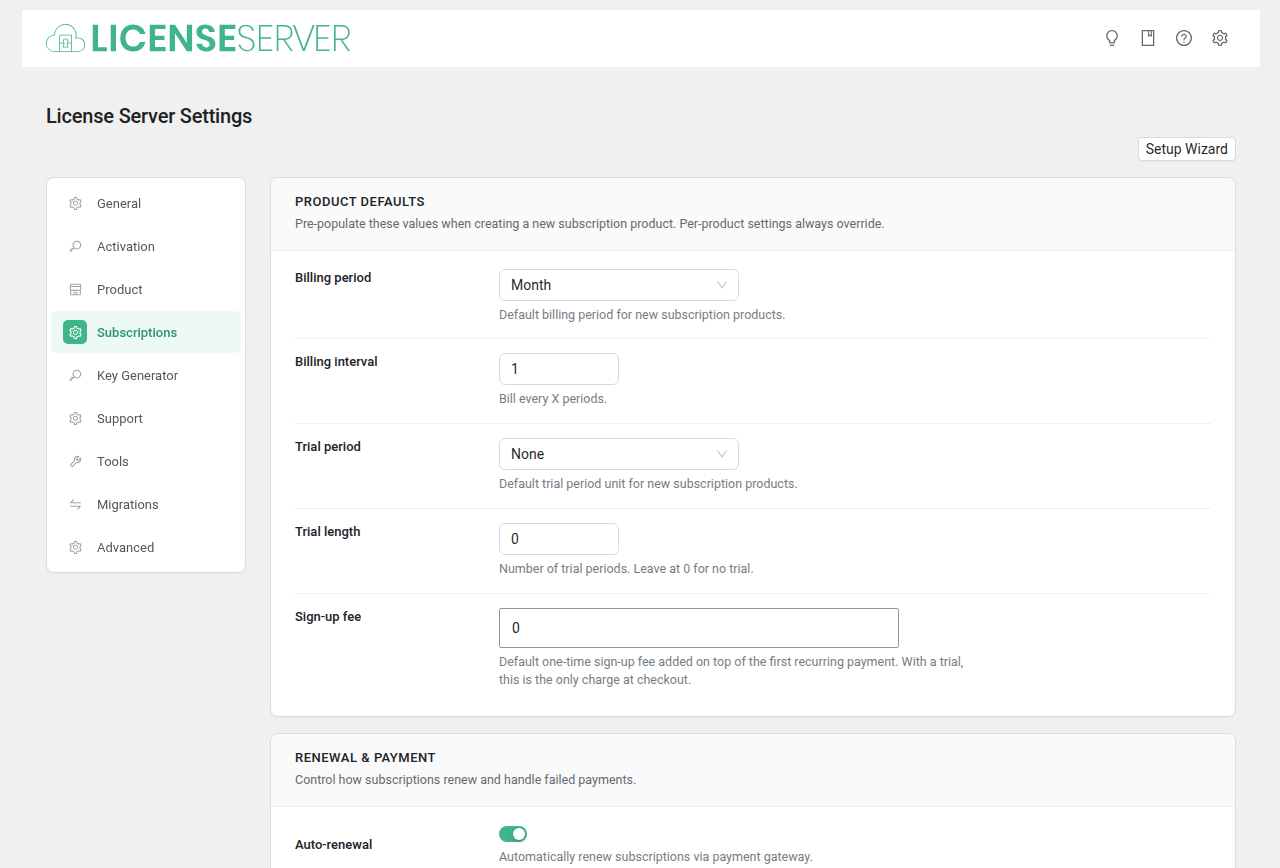
Product Defaults
Pre-populate these values when creating a new subscription product. Per-product settings always override.
| Field | Type | Default | Description |
|---|---|---|---|
| Billing period | Select | month | Default billing period for new subscription products. Options: Day, Week, Month, Year. |
| Billing interval | Number | 1 | Bill every X periods. Minimum: 1. |
| Trial period | Select | (None) | Default trial period unit for new subscription products. Options: None, Day, Week, Month, Year. |
| Trial length | Number | 0 | Number of trial periods. Leave at 0 for no trial. |
| Sign-up fee | Price | 0 | Default one-time sign-up fee for new subscription products. |
Renewal & Payment
Control how subscriptions renew and handle failed payments.
| Field | Type | Default | Description |
|---|---|---|---|
| Auto-renewal | Checkbox | yes | Automatically renew subscriptions via payment gateway. |
| Early renewal | Checkbox | no | Allow customers to renew their subscription before it expires. |
| Grace period (days) | Number | 0 | Days after a missed payment before the subscription expires. Set to 0 to expire immediately. |
| Retry failed payments | Checkbox | no | Automatically retry failed subscription payments. |
| Max retry attempts | Number | 3 | Maximum number of payment retry attempts before giving up. Minimum: 1. |
Suspension & Cancellation
Control whether customers can suspend or cancel their own subscriptions.
| Field | Type | Default | Description |
|---|---|---|---|
| Allow suspension | Checkbox | no | Let customers pause their subscription temporarily. |
| Max suspensions | Number | 1 | Maximum number of times a customer can suspend a single subscription. Minimum: 1. |
| Max suspension days | Number | 0 | Maximum days a subscription can stay suspended. Set to 0 for unlimited. |
| Allow cancellation | Checkbox | yes | Let customers cancel their subscription from their account. |
| Minimum periods before cancellation | Number | 0 | Minimum billing periods a customer must complete before they can cancel. Set to 0 to allow cancellation anytime. |
Limits
Restrict how many subscriptions a customer can have.
| Field | Type | Default | Description |
|---|---|---|---|
| One per customer | Checkbox | no | Limit each customer to one active subscription per product. |
Renewal Periods
Define the billing cycles available for your license products. The default period is pre-selected when creating new products.
| Field | Type | Default | Description |
|---|---|---|---|
| Renewal Periods | Renewal Period Manager | annual | Configure the available renewal periods (e.g., monthly, annual, lifetime) and set which one is the default. |